Your semester,with room to think.

Bring Moodle courses, study plans, and AI-assisted reading together in one calm workspace for Mac and Windows.

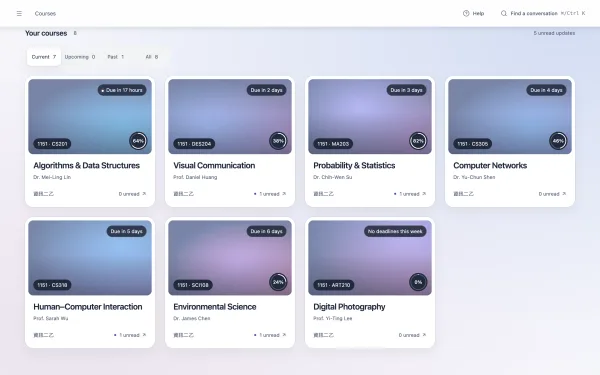
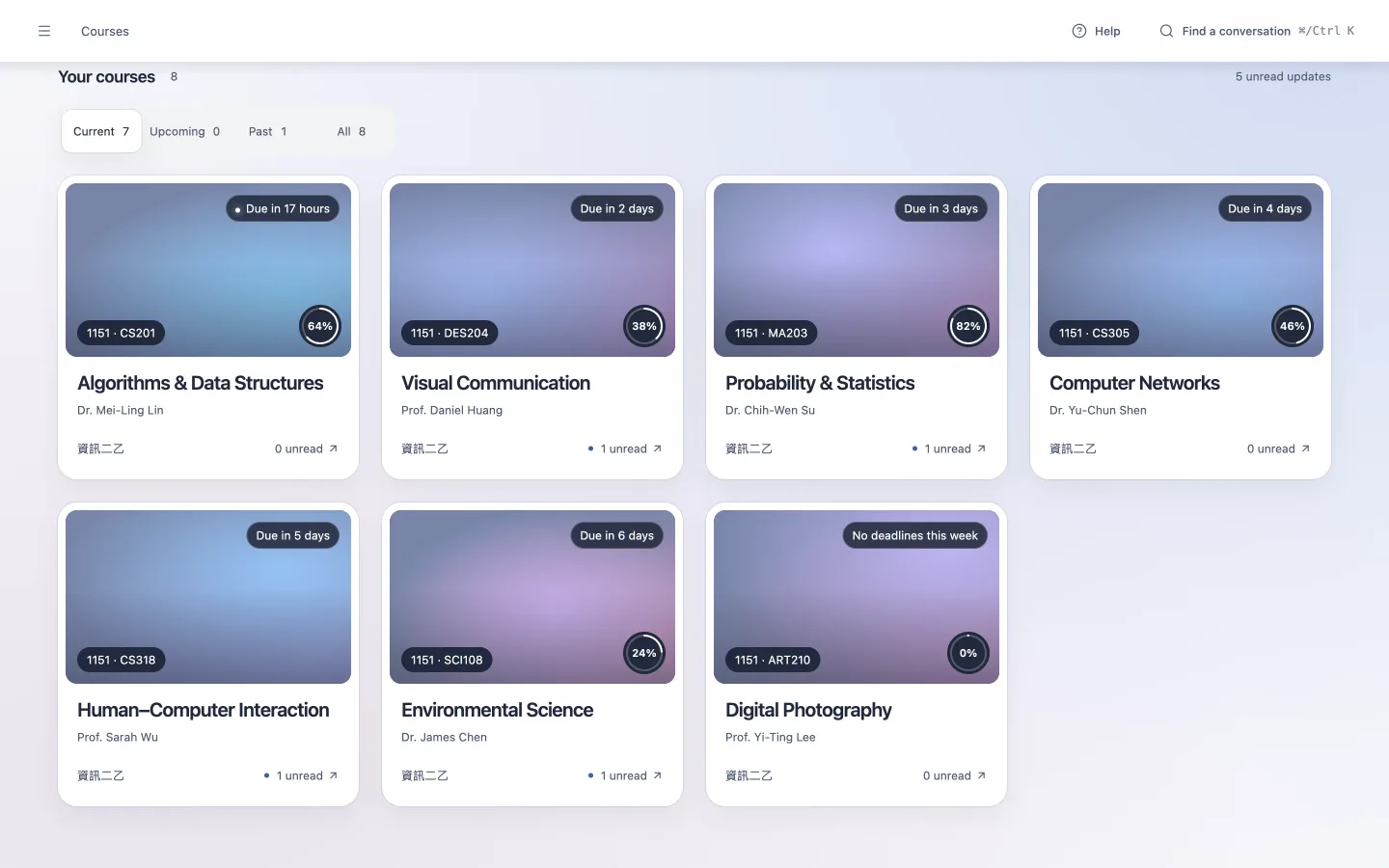
Art-led course cards with teachers, progress, and deadlines
The real app with curated demo coursework and a simulated AI conversation.

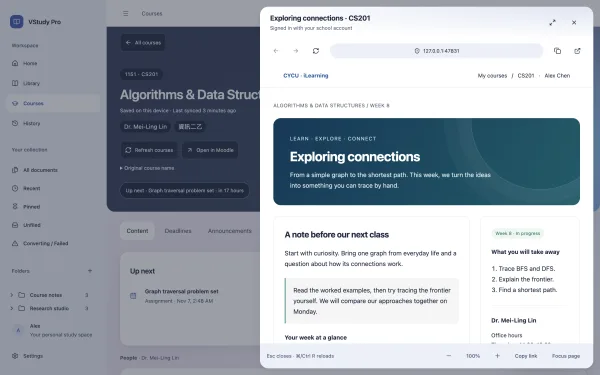
Your school, connected

Any school that runs Moodle.

If your school's Moodle has the mobile service switched on, you can sign in with your school account.

  1. Your school runs Moodle

  2. Open VStudy Pro and choose Connect school

  3. Sign in with your school account. Your courses appear.

Availability depends on each school's settings. First tested with CYCU in Taiwan.

Less switching. More studying.

Know what is due. See where it belongs.

Your Moodle courses, deadlines, announcements, grades, and files share one place. Saved course content stays available when your connection does not.

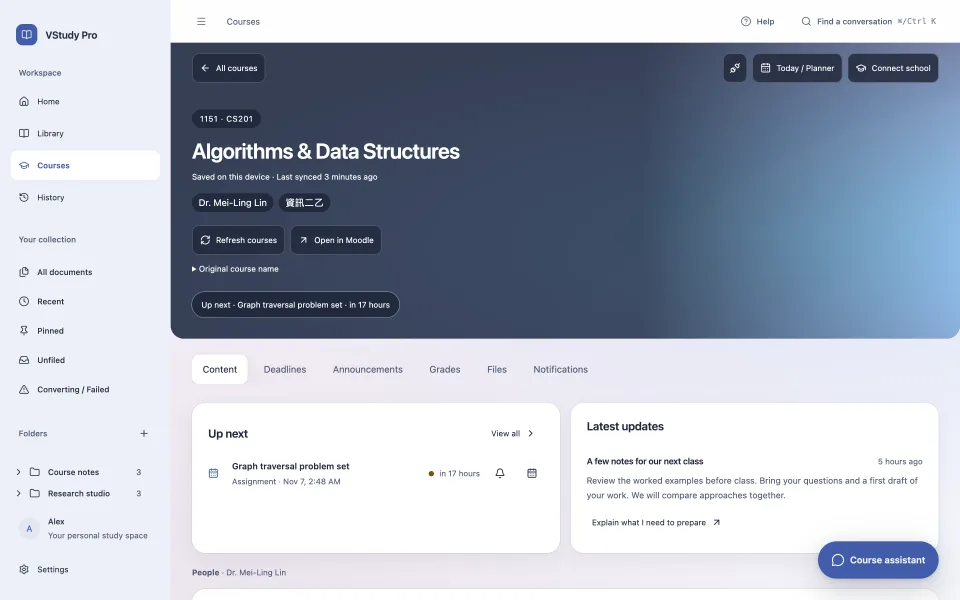
Explore courses and deadlines
Interactive example · Algorithms assignmentUntil your next deadline 17 h
Algorithms & Data Structures with current-week materials and upcoming work

A study partner. You make the call.

Ask the course agent to break down an assignment or plan exam preparation. It proposes tasks, study blocks, and reminders. You review the details before anything changes.

Understand the approval model
Interactive example

Review the proposed plan

  • Review graph traversal · 25 min
  • Practice with three problems · 40 min

Find the conversation again

Search across chats. Filter by course, document, role, or date.

DocsFind the conversation again
Interactive example

Why does breadth-first search find the shortest path?

graph traversal · Moodle

Read closely. Ask better questions.

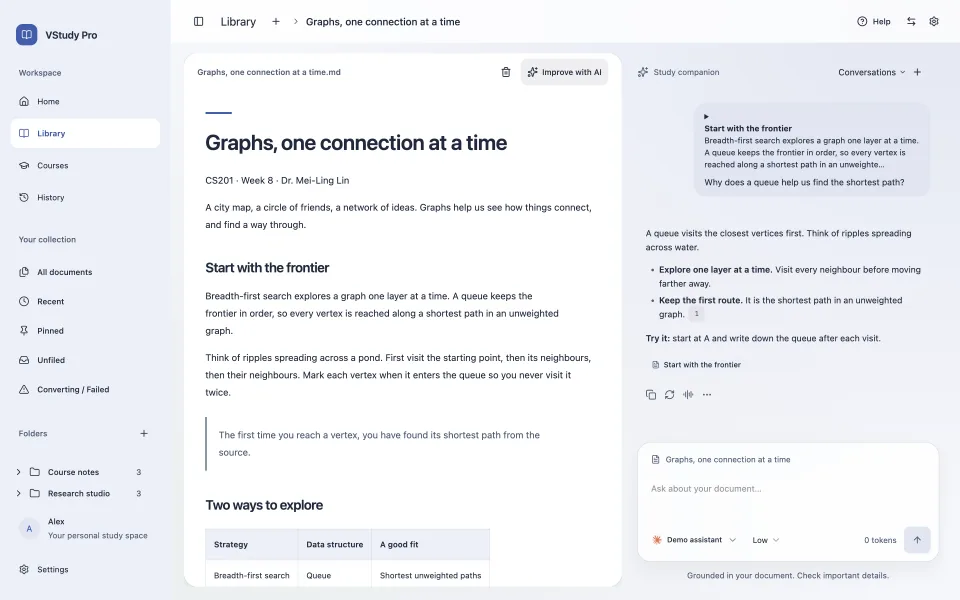
Select a passage and ask your chosen AI provider to explain it. Follow citations back to the reading, and keep your questions alongside the document.

Read with AI
Graph traversal notes with a selected passage, demo AI answer, and source citation

PDF, Word, slides, spreadsheets, Markdown, and more. Scanned PDFs need OCR elsewhere.

A workspace that feels like yours.

Nine whole-app theme packs. Each with a light and a dark side. Try a palette here, then make the app your own.

Six real app previews, light and dark. Select a pack to compare it and preview this page.

VStudy · Light app preview

Works with your AI agents (MCP)

A bridge between your coursework and external AI agents is in development. It is not in the current release.

Coming soon

Your choice of AI.

Connect a provider, then choose a model available to your account or endpoint. AI is optional. Bring your own access; provider terms and charges apply.

Provider setup and privacy

Product names and logos are trademarks of their respective owners. VStudy Pro is not affiliated with or endorsed by them.

A little setup. A clearer next step.

  1. 01

    Make yourself at home

    Open the sample document. Choose your language and a theme that feels right.

  2. 02

    Bring your coursework

    Connect your school’s Moodle or import your own readings. Start with either.

  3. 03

    Decide what comes next

    See deadlines, ask questions, and review a study plan before you approve it.

Your library lives on your Mac.

Documents, conversations, and study plans stay in local storage. No VStudy account and no automatic device sync. Optional analytics are off unless you turn them on, and they never include your questions or documents.

See what leaves your Mac

AI is your choice. When enabled, your provider receives your question and relevant reading context. Connecting Moodle contacts your school.

Before you settle in.

Do I need AI to use VStudy?

No. Read documents, browse saved coursework, and manage your planner without an AI provider. AI features need an enabled provider and a network connection.

Will it work with my school?

VStudy accepts public HTTPS Moodle sites. Your school must enable compatible mobile web services. Search the bundled directory or enter your Moodle URL. Some schools restrict third-party access.

Can I study offline?

Local readings, conversations, plans, and previously saved course content remain on your Mac. New Moodle content and AI responses require a connection. Markdown and text import work without the Python converter.

Where is the download?

Download opens a page that lists every installer and recommends the one for your device. Checksums and release notes are there too. If a file is missing, check the latest published release.

What should I expect on first launch?

Unsigned builds may trigger Gatekeeper on Mac or SmartScreen on Windows. Verify the file and source before continuing. The installation guide explains both systems and signed releases.

Can I connect my own AI agent through MCP?

Coming soon. The MCP integration is still in development and is not part of the current release. The in-app course assistant is available with a configured provider.

Make space for the work that matters.

Start with a reading. Bring the rest of your semester when you are ready.

Download