Reading documents with AI
Import a reading, select a passage, and trace answers back to the source.
Import a reading
Library accepts PDF, DOCX, XLSX, PPTX, HTML, CSV, Markdown, and plain text up to 50 MB. Organize documents with folders, pins, tags, and saved filters. Originals and converted Markdown stay in the local library.
Markdown and text bypass Python. Other formats use the on-demand converter. The first conversion asks consent before installing hash-locked packages. Install uv or Python 3.10 or later separately if the setup requires it.
Ask about a passage
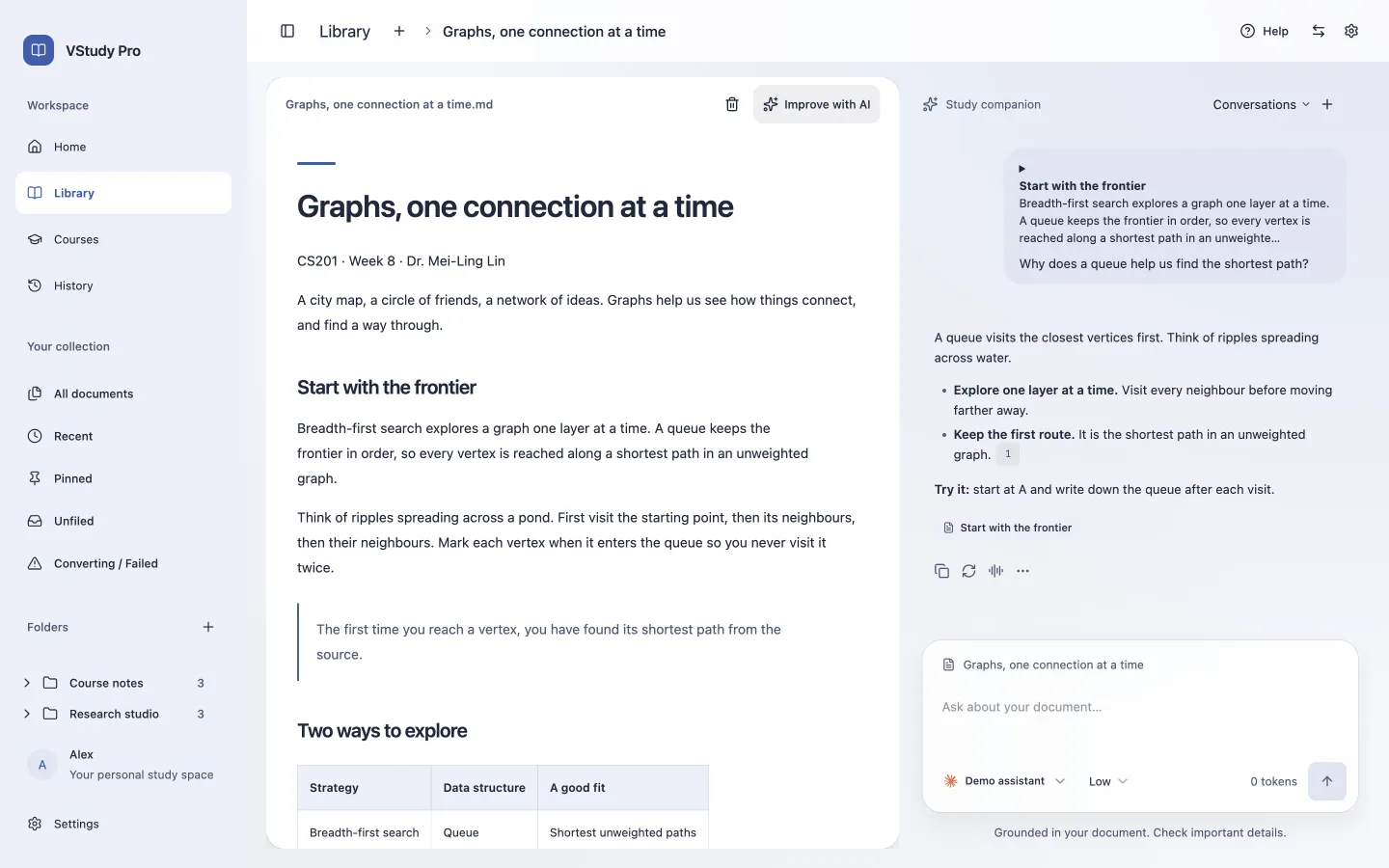
Open a ready document. Select text with the pointer, or focus the reader and extend a selection with Shift and an arrow key. Use Ask about this or Cmd/Ctrl+Shift+K to send that selection to chat. Choose an enabled provider and model before sending.
Answers can include citations that lead back to the stored document. Check the cited passage for important claims. No selection means that an outline and opening excerpt are included, not necessarily the whole document. Earlier selections can remain in conversation history.
Know conversion limits
There is no OCR. Image-only or scanned PDFs require OCR in another tool before import. PDF tables need ruled grids. Images can be omitted, and columns, equations, and complex layouts can lose fidelity.
Single-file HTML and Markdown import do not copy neighboring images. First-page conversion is provisional until the job finishes. The separate AI document-improvement backend exists, but its panel is not mounted in the main reader. Do not rely on it as an available reading workflow.