Courses and deadlines
Browse coursework, check what is due, and open the materials you need.
Find a course
Courses groups your Moodle courses into Current, Upcoming, Past, and All. A course can show its teacher, term, due-work count, and progress when the school supplies that data. Missing dates are not treated as confirmed term dates.
Open a course to browse Content, Deadlines, Announcements, Grades, Files, and Notifications. Available functions depend on the school’s mobile-service capabilities.
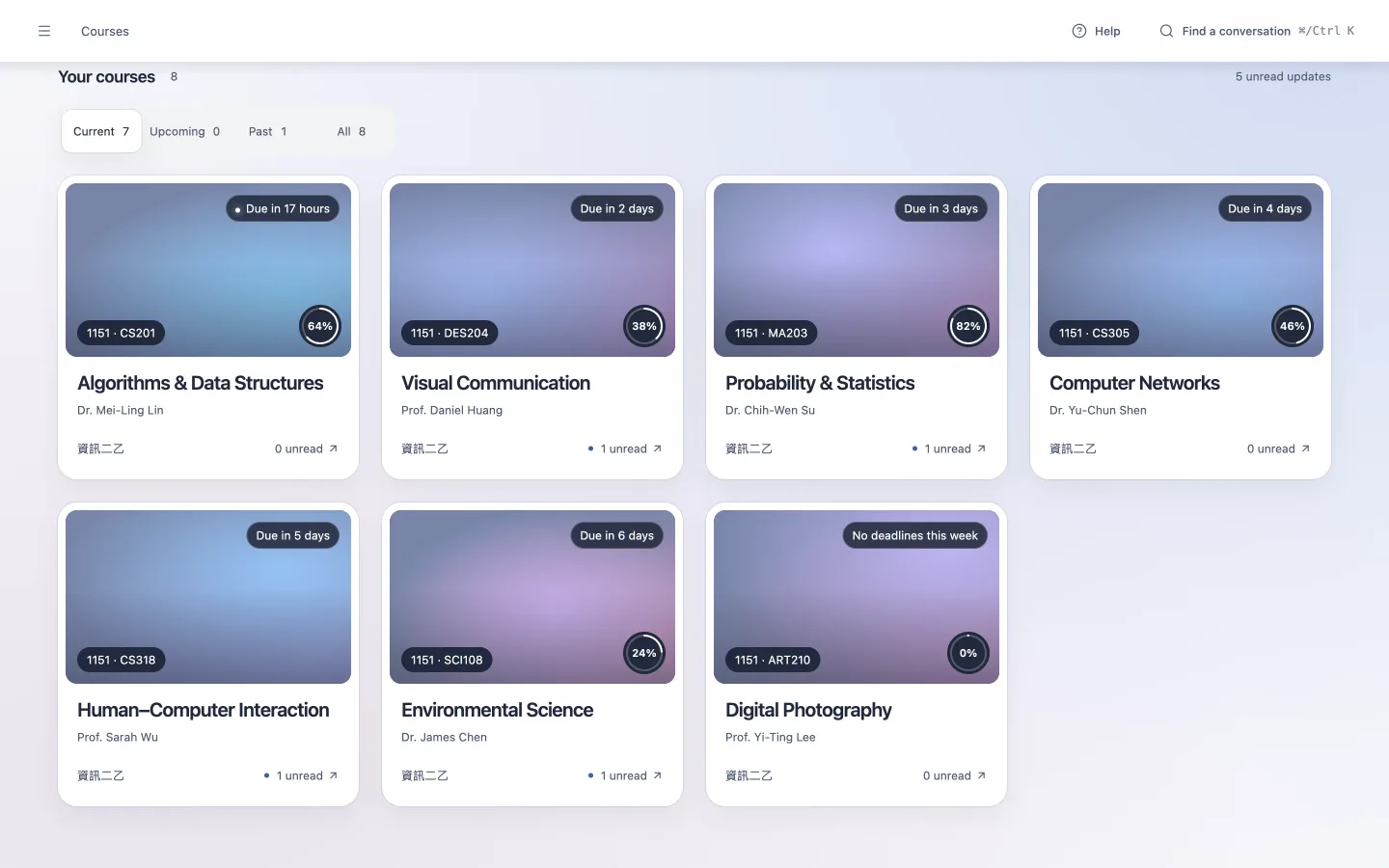
Inside a course
Open a course to see its current week, materials, progress, and upcoming work in the app.
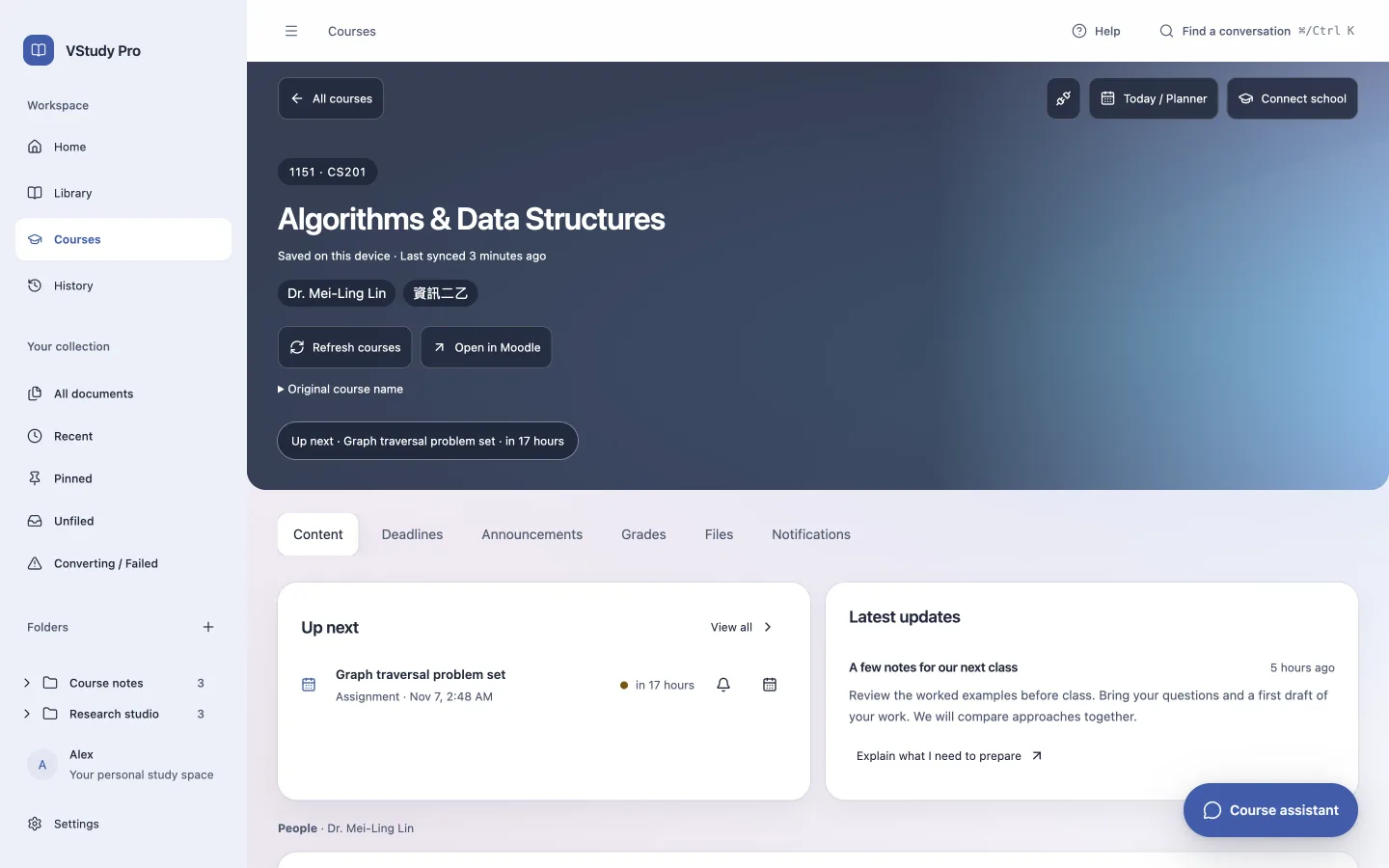
Check upcoming work
Due soon highlights the next seven days. Within a course, use Deadlines to inspect overdue, upcoming, and completed work. Check important dates and submission state against Moodle before acting.
You can propose reminders and export calendar events. Calendar export creates an .ics file. It is not two-way calendar synchronization.
Understand saved content
The app shows saved course content before it refreshes the network. Cache state and the last real sync time distinguish saved information from a fresh response. An offline view can be useful without proving the current deadline.
Use Refresh to request new data. An expired sign-in requires Reconnect. Authentication and permission errors are not hidden as successful refreshes. Open supported files in the document reader, or open the Moodle page for unsupported content.